tikz
fdpyutils.tikz.matshow.TikzMatrix
Class to visualize a matrix with TikZ.
Attributes:
-
TEMPLATE(str) –Template TikZ code containing placeholders that will be substituted with content when saving a figure.
Examples:
>>> from numpy import linspace
>>> mat = linspace(0, 1, num=30).reshape(3, 10)
>>> savepath = "mat.tex"
>>> tikz_mat = TikzMatrix(mat)
>>> tikz_mat.highlight(1, 0, fill="blue", fill_opacity=0.5)
>>> # NOTE to compile, you need `pdflatex`
>>> tikz_mat.save(savepath, compile=False)
- Example image
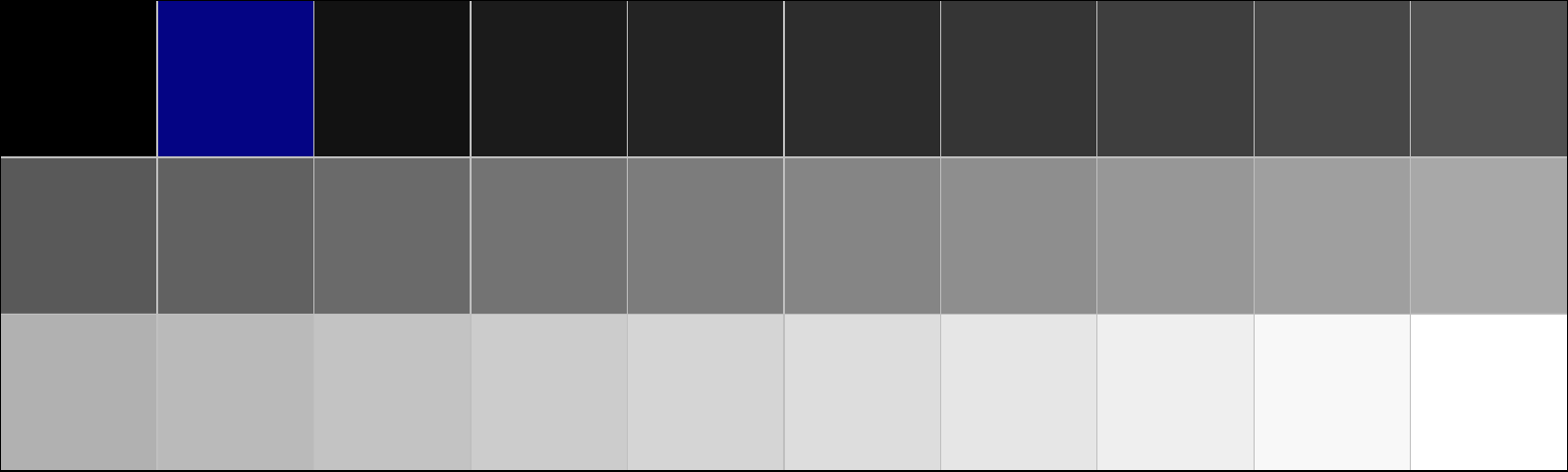
- I used this to visualize the structured matrices in our SINGD paper.
Store the matrix internally.
Parameters:
-
mat(Union[Tensor, ndarray]) –The matrix that will be visualized as PyTorch tensor or NumPy array.
Raises:
-
ValueError–If the supplied array is not 2d.
Source code in fdpyutils/tikz/matshow.py
highlight
Highlight a pixel in the matrix.
Parameters:
-
column(int) –column index of the pixel to highlight.
-
row(int) –row index of the pixel to highlight.
-
fill(str, default:'red') –colour to fill the pixel with. Default:
'red'. -
fill_opacity(float, default:0.5) –opacity of the highlighting. Default:
0.5.
Source code in fdpyutils/tikz/matshow.py
save
Save the matrix plot as standalone TikZ figure and maybe build to pdf.
Parameters:
-
savepath(str) –Path to save the figure to (including
'.tex'). -
compile(bool, default:False) –Whether to compile the TikZ figure to pdf. Default is
False.
Source code in fdpyutils/tikz/matshow.py
fdpyutils.tikz.tensorshow.TikzTensor
Class to visualize a tensor with TikZ.
Attributes:
-
TEMPLATE–Template TikZ code containing placeholders that will be replaced with content before compilation.
Examples:
>>> from torch import linspace, Size
>>> shape = Size((1, 2, 3, 4, 10))
>>> tensor = linspace(0, 1, shape.numel()).reshape(shape)
>>> savepath = "tensor.tex"
>>> tikz_tensor = TikzTensor(tensor)
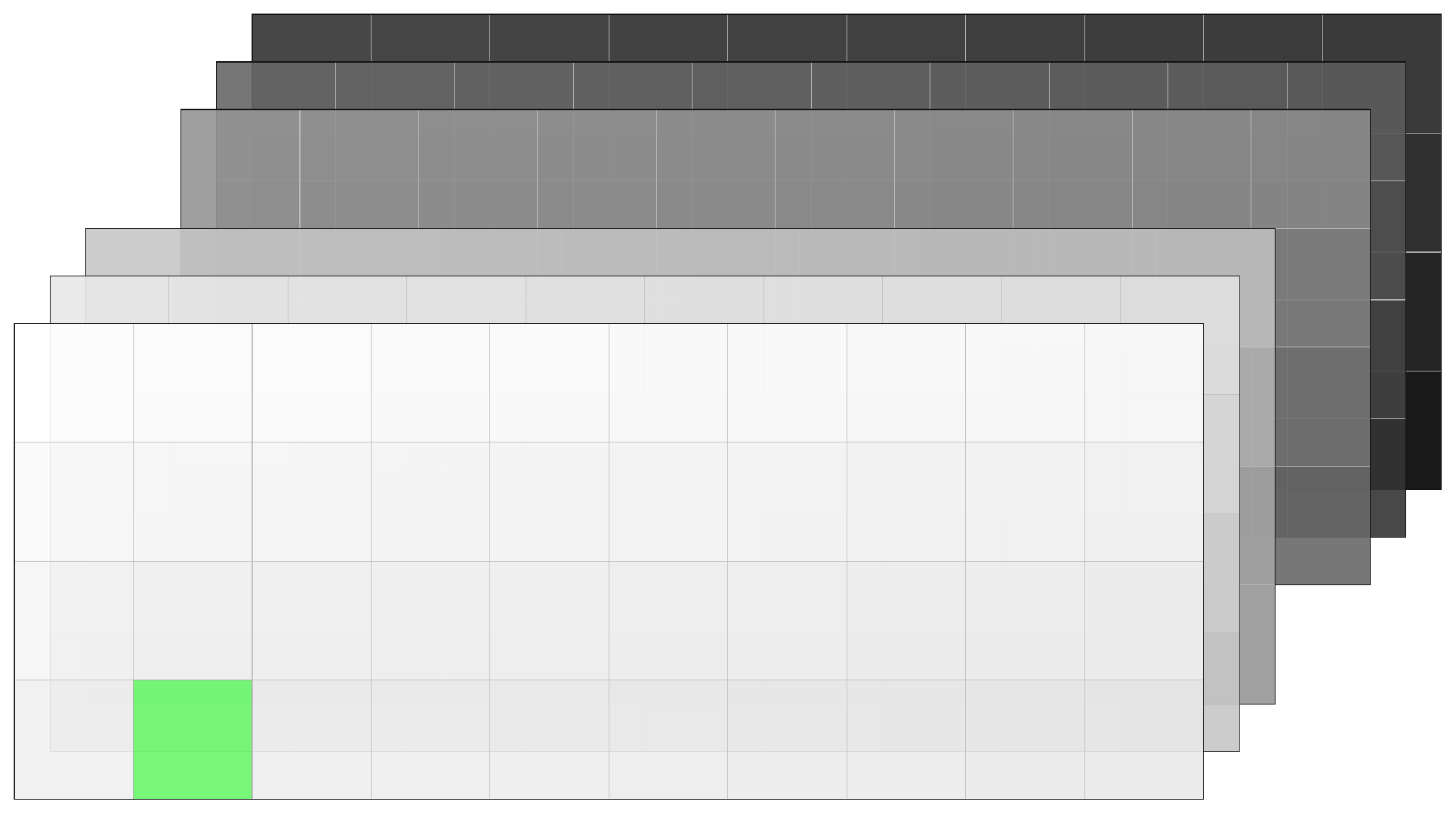
>>> tikz_tensor.highlight((0, 0, 0, 3, 1), fill="green", fill_opacity=0.5)
>>> # NOTE to compile, you need `pdflatex`
>>> tikz_tensor.save(savepath, compile=False)
- Example image
Store the tensor internally.
Parameters:
-
tensor(Union[Tensor, ndarray]) –The tensor to visualize. At most 5d.
Raises:
-
NotImplementedError–If the tensor has more than 5 dimensions.
Source code in fdpyutils/tikz/tensorshow.py
save
Save the TikZ code to visualize the tensor to a file and maybe compile it.
The approach has two stages:
- Generate
.texand.pdffiles for 2d fibres of the tensor. - Compose the fibres into a TikZ picture displaying the entire tensor.
Parameters:
-
savepath(str) –The path to save the TikZ code to.
-
compile(bool, default:True) –Whether to compile the TikZ code to a PDF.
Source code in fdpyutils/tikz/tensorshow.py
highlight
Highlight a pixel in the tensor.
Parameters:
-
idx(Tuple[int, ...]) –The index of the pixel to highlight.
-
fill(str, default:'VectorOrange') –colour to fill the pixel with. Default:
'VectorOrange'. -
fill_opacity(float, default:0.5) –opacity of the highlighting. Default:
0.5.
Raises:
-
ValueError–if the index has incorrect dimensions or is out of bounds.
Source code in fdpyutils/tikz/tensorshow.py
fdpyutils.tikz.conv2d.TikzConv2d
TikzConv2d(weight: Tensor, x: Tensor, savedir: str, stride: Tuple[int, int] = (1, 1), padding: Tuple[int, int] = (0, 0), dilation: Tuple[int, int] = (1, 1))
Class for visualizing 2d convolutions with TikZ.
Examples:
>>> from torch import manual_seed, rand
>>> _ = manual_seed(0)
>>> # convolution hyper-parameters
>>> N, C_in, I1, I2 = 2, 2, 4, 5
>>> G, C_out, K1, K2 = 1, 3, 2, 3
>>> P = (0, 1) # non-zero padding along one dimension
>>> weight = rand(C_out, C_in // G, K1, K2)
>>> x = rand(N, C_in, I1, I2)
>>> # NOTE to compile, you need `pdflatex`
>>> TikzConv2d(weight, x, "conv2d", padding=P).save(compile=False)
- Example image (padded pixels are highlighted)
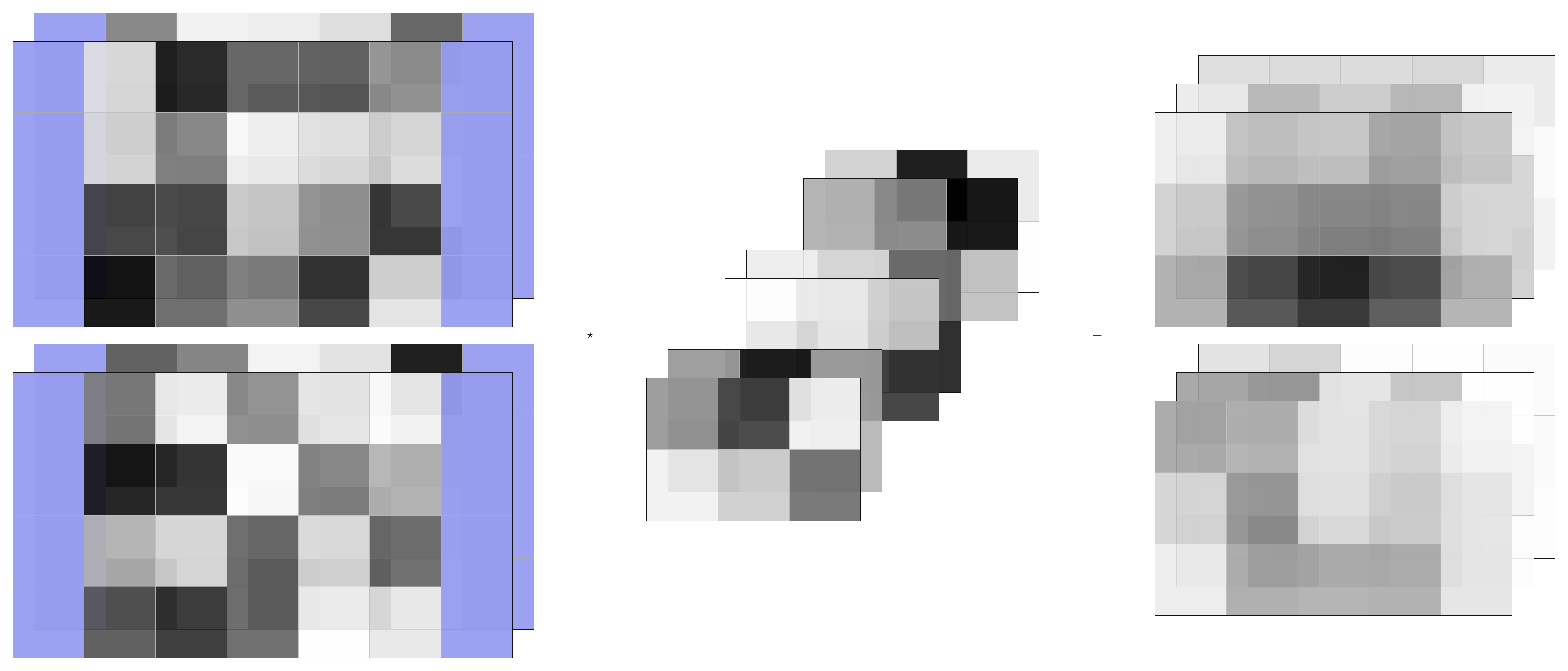
- I used this code to create the visualizations for my talk at Perimeter Institute.
Store convolution tensors and hyper-parameters for the animated convolution.
Parameters:
-
weight(Tensor) –Convolution kernel. Has shape
[C_out, C_in // G, K1, K2]. -
x(Tensor) –Input tensor. Has shape
[N, C_in, I1, I2]. -
savedir(str) –Directory under which the TikZ code and pdf images are saved.
-
stride(Tuple[int, int], default:(1, 1)) –Stride of the convolution. Default:
(1, 1). -
padding(Tuple[int, int], default:(0, 0)) –Padding of the convolution. Default:
(0, 0). -
dilation(Tuple[int, int], default:(1, 1)) –Dilation of the convolution. Default:
(1, 1).
Raises:
-
ValueError–If
weightorxare not 4d tensors.
Source code in fdpyutils/tikz/conv2d.py
save
Create the images of the convolution's input, weight, and output tensors.
This is done in two steps:
- Compile the input, weight, and output tensors.
- Combine them into one image.
Parameters:
-
compile(bool, default:True) –Whether to compile the TikZ code into a pdf image. Default:
True.
Source code in fdpyutils/tikz/conv2d.py
fdpyutils.tikz.conv2d.TikzConv2dAnimated
TikzConv2dAnimated(weight: Tensor, x: Tensor, savedir: str, stride: Tuple[int, int] = (1, 1), padding: Tuple[int, int] = (0, 0), dilation: Tuple[int, int] = (1, 1))
Class for visualizing animated 2d convolutions with TikZ.
Examples:
>>> from torch import manual_seed, rand
>>> _ = manual_seed(0)
>>> N, C_in, I1, I2 = 2, 2, 3, 4
>>> G, C_out, K1, K2 = 1, 3, 2, 3
>>> P = (0, 1) # non-zero padding along one dimension
>>> weight = rand(C_out, C_in // G, K1, K2)
>>> x = rand(N, C_in, I1, I2)
>>> # NOTE to compile, you need `pdflatex`
>>> TikzConv2dAnimated(weight, x, "conv2d", padding=P).save(
...     compile=False, max_frames=10
... )
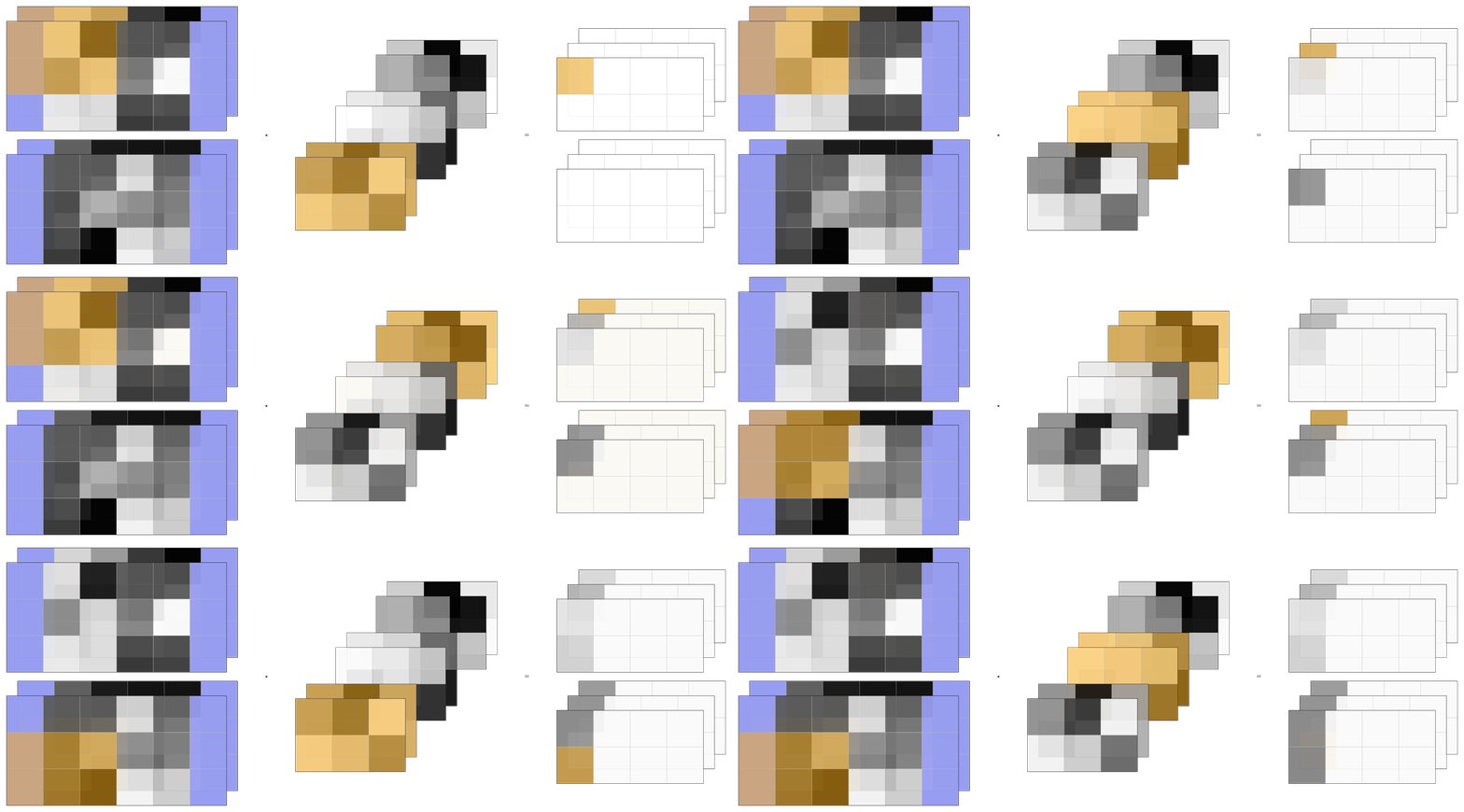
- Example animation (padding pixels are highlighted)
 If you set
 compile=Trueabove, there will be anexample.pdffile in the supplied directory. You can compile it to a.gifusing the command which requires theimagemagicklibrary. - I used this code to create the visualizations for my talk at Perimeter Institute.
Attributes:
-
GROUP_COLORS–Colors used to highlight different channel groups.
Store convolution tensors and hyper-parameters for the animated convolution.
Parameters:
-
weight(Tensor) –Convolution kernel. Has shape
[C_out, C_in // G, K1, K2]. -
x(Tensor) –Input tensor. Has shape
[N, C_in, I1, I2]. -
savedir(str) –Directory under which the TikZ code and pdf images are saved.
-
stride(Tuple[int, int], default:(1, 1)) –Stride of the convolution. Default:
(1, 1). -
padding(Tuple[int, int], default:(0, 0)) –Padding of the convolution. Default:
(0, 0). -
dilation(Tuple[int, int], default:(1, 1)) –Dilation of the convolution. Default:
(1, 1).
Raises:
-
ValueError–If
weightorxare not 4d tensors.
Source code in fdpyutils/tikz/conv2d.py
save
Create the frames of the convolution's input, weight, and output tensors.
This is done in two steps. For each frame:
- Generate the input, weight, and output tensors.
- Compile the full tensors into one pdf image.
Parameters:
-
compile(bool, default:True) –Whether to compile the TikZ code into a pdf image. Default:
True. -
max_frames(Optional[int], default:None) –Maximum number of frames to generate. Default:
None.
Source code in fdpyutils/tikz/conv2d.py
fdpyutils.tikz.unfold.TikzUnfoldAnimated
TikzUnfoldAnimated(weight: Tensor, x: Tensor, savedir: str, stride: Tuple[int, int] = (1, 1), padding: Tuple[int, int] = (0, 0), dilation: Tuple[int, int] = (1, 1))
Class for visualizing input unfolding of a 2d convolution with TikZ.
Examples:
>>> from torch import manual_seed, rand
>>> _ = manual_seed(0)
>>> N, C_in, I1, I2 = 1, 2, 5, 1
>>> G, C_out, K1, K2 = 1, 4, 3, 1
>>> P = (1, 0) # non-zero padding along one dimension
>>> weight = rand(C_out, C_in // G, K1, K2)
>>> x = rand(N, C_in, I1, I2)
>>> # NOTE to compile, you need `pdflatex`
>>> TikzUnfoldAnimated(weight, x, "unfold", padding=P).save(
...     compile=False, max_frames=10
... )
- Example animation (left is matricized output, middle is matricized kernel, right
is unfolded input)
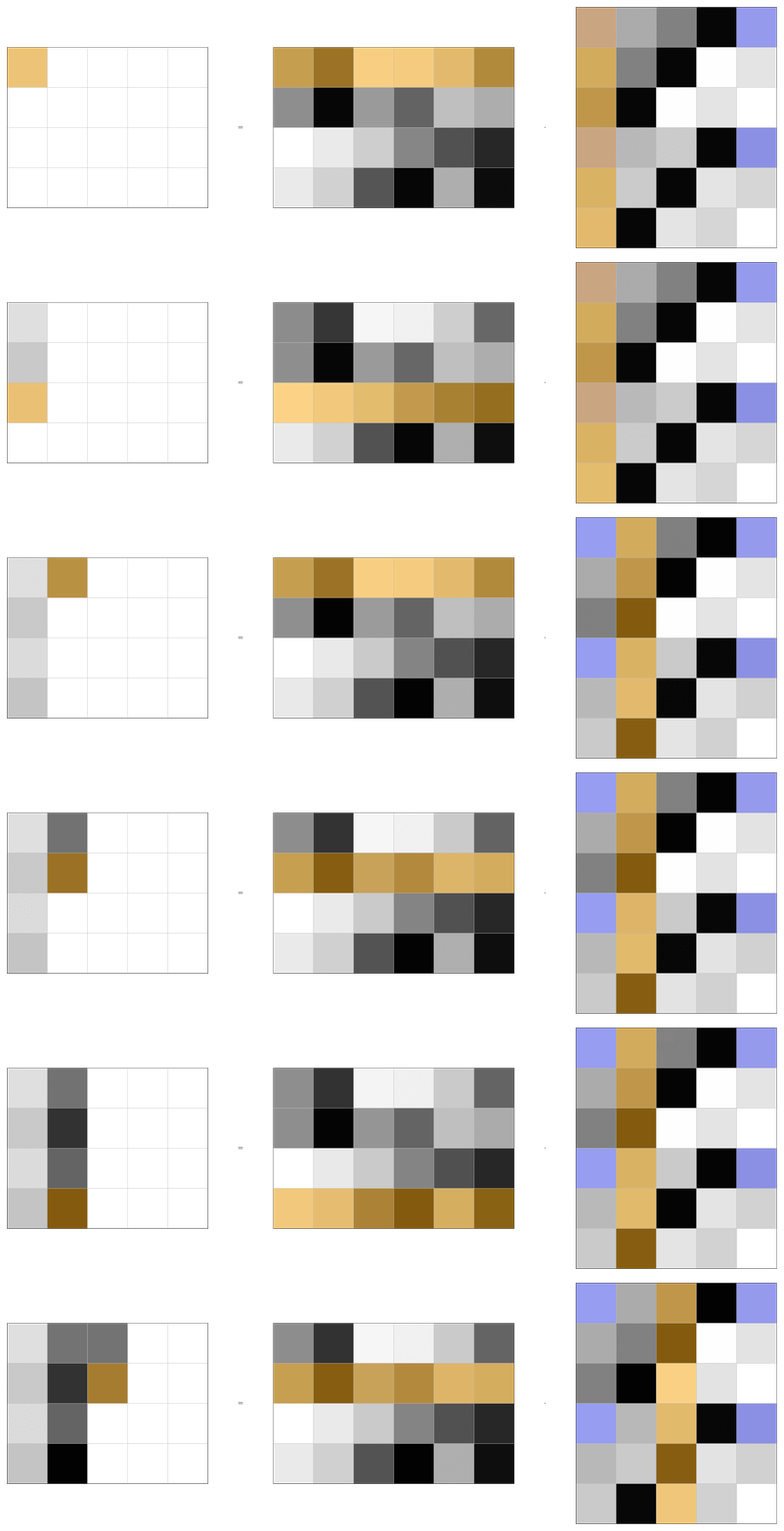 If you set
 compile=Trueabove, there will be anexample.pdffile in the supplied directory. You can compile it to a.gifusing the command which requires theimagemagicklibrary. - I used this code to create the visualizations for my talk at Perimeter Institute.
Store convolution hyper-parameters for the animated input unfolding.
Parameters:
-
weight(Tensor) –Convolution kernel. Has shape
[C_out, C_in // G, K1, K2]. -
x(Tensor) –Input tensor. Has shape
[N, C_in, I1, I2]. -
savedir(str) –Directory under which the TikZ code and pdf images are saved.
-
stride(Tuple[int, int], default:(1, 1)) –Stride of the convolution. Default:
(1, 1). -
padding(Tuple[int, int], default:(0, 0)) –Padding of the convolution. Default:
(0, 0). -
dilation(Tuple[int, int], default:(1, 1)) –Dilation of the convolution. Default:
(1, 1).
Source code in fdpyutils/tikz/unfold.py
save
Create frames of the unfolded input, matricized kernel and matricized output.
This is done in two steps. For each frame:
- Generate the individual tensors.
- Compile the full tensors into one pdf image.
Parameters:
-
compile(bool, default:True) –Whether to compile the TikZ code into a pdf image. Default:
True. -
max_frames(Optional[int], default:None) –Maximum number of frames to generate. Default:
None.
Source code in fdpyutils/tikz/unfold.py
fdpyutils.tikz.unfold.TikzUnfoldWeightAnimated
TikzUnfoldWeightAnimated(weight: Tensor, x: Tensor, savedir: str, stride: Tuple[int, int] = (1, 1), padding: Tuple[int, int] = (0, 0), dilation: Tuple[int, int] = (1, 1))
Class for visualizing kernel unfolding of a 2d convolution with TikZ.
Examples:
>>> from torch import manual_seed, rand
>>> _ = manual_seed(0)
>>> N, C_in, I1, I2 = 1, 2, 5, 1
>>> G, C_out, K1, K2 = 1, 3, 4, 1
>>> P = (1, 0)
>>> weight = rand(C_out, C_in // G, K1, K2)
>>> x = rand(N, C_in, I1, I2)
>>> # NOTE to compile, you need `pdflatex`
>>> TikzUnfoldWeightAnimated(weight, x, "unfold_weight", padding=P).save(
...    compile=False
... )
- Example animation (left is vectorized output, middle is unfolded kernel, right
is vectorized input)
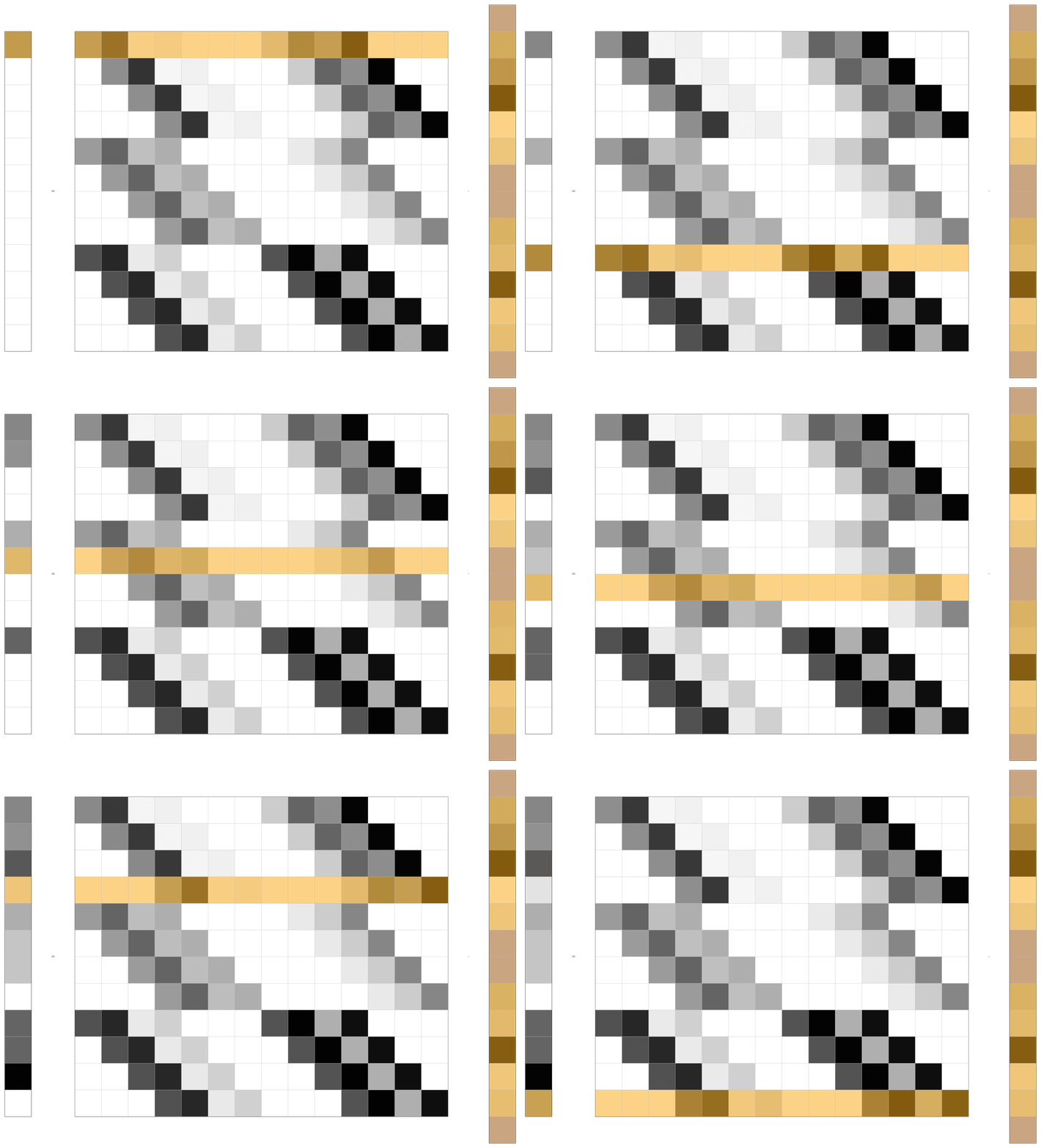 If you set
 compile=Trueabove, there will be anexample.pdffile in the supplied directory. You can compile it to a.gifusing the command which requires theimagemagicklibrary. - I used this code to create the visualizations for my talk at Perimeter Institute.
Store convolution hyper-parameters for the animated input unfolding.
Parameters:
-
weight(Tensor) –Convolution kernel. Has shape
[C_out, C_in // G, K1, K2]. -
x(Tensor) –Input tensor. Has shape
[N, C_in, I1, I2]. -
savedir(str) –Directory under which the TikZ code and pdf images are saved.
-
stride(Tuple[int, int], default:(1, 1)) –Stride of the convolution. Default:
(1, 1). -
padding(Tuple[int, int], default:(0, 0)) –Padding of the convolution. Default:
(0, 0). -
dilation(Tuple[int, int], default:(1, 1)) –Dilation of the convolution. Default:
(1, 1).